More attention for guests. Fewer scattered notes.
Reservations, room preparation and direct booking for a small hotel team. Keep stay details together and choose the modules your daily work needs.

Daily work for a small team.
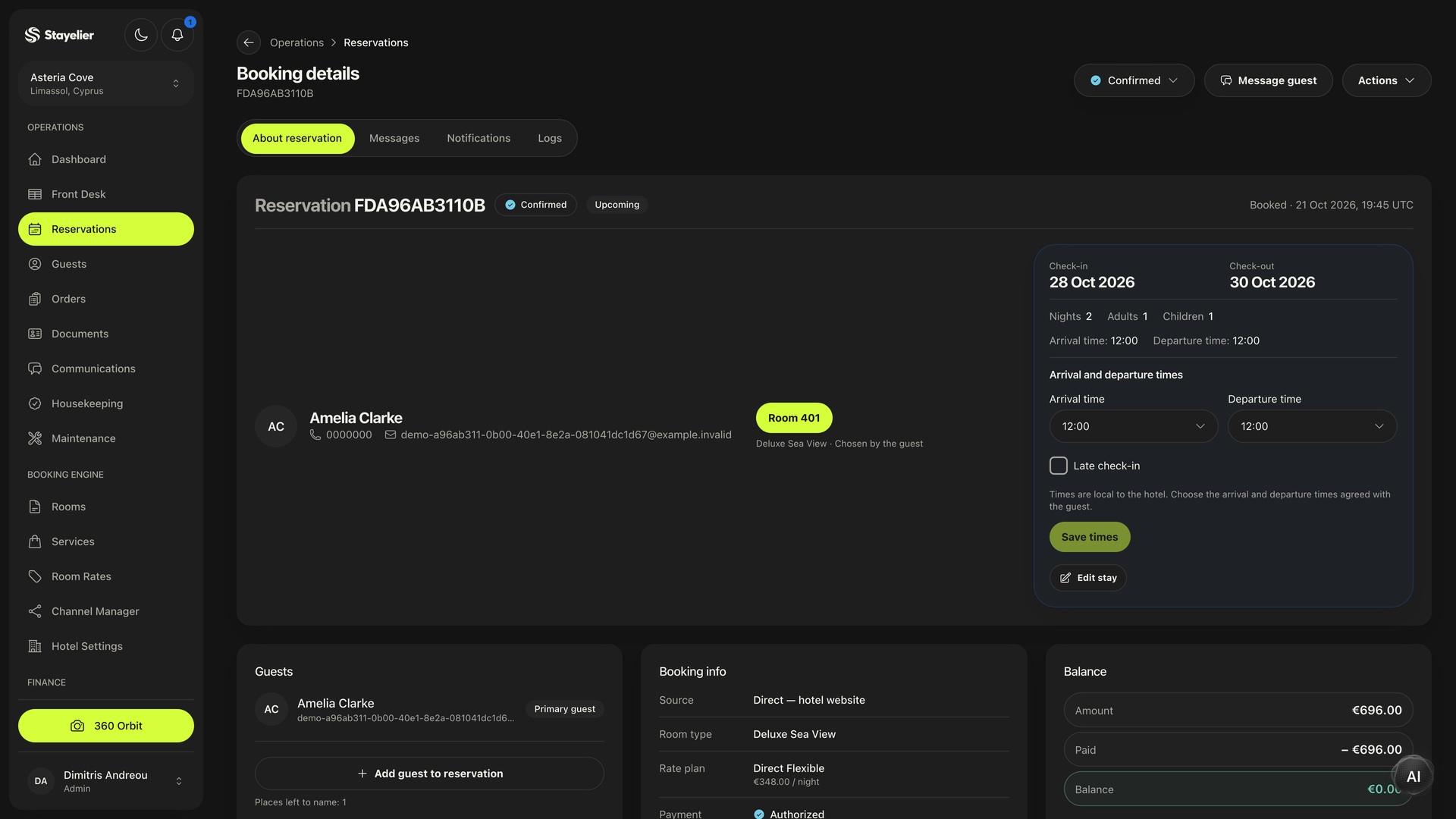
Open a reservation to check dates, party size, the assigned room and stay status.
- Dates, party size and stay details in the reservation.
- Arrivals, departures and assignments on the physical room calendar.
- Update stay status and move a booking to an available room.
Every stay, with the details in place.
Open the reservation for guest details. Use the room calendar to plan arrivals, departures and room changes.
- Dates, party size and stay details in the reservation.
- Arrivals, departures and assignments on the physical room calendar.
- Update stay status and move a booking to an available room.

Your conditions. For every date.
Set room prices and availability by date. Adjust individual nights and the conditions of each rate plan.
- Prices and availability by room type and date.
- Individual-night overrides and rate plans.
- Stay restrictions and closed sales for selected dates.
For external sales channels, agree partner access, connection setup and room-type and rate-plan mappings with the team in advance.

The guest has left. Your team knows what comes next.
Assign the cleaning, leave room notes and update its status. Reception can check readiness before the next arrival.
- Follow room status: needs cleaning, in progress, clean and inspected.
- Assigned staff and notes for each room.
- A shared view of room readiness for housekeeping and reception.

Direct booking on your hotel website.

See the room
Photographs, amenities, capacity and descriptions help guests decide whether a room fits their trip.
Choose dates and a rate
Guests compare available options and review the conditions of their chosen offer.
Add the right extras
Available services can be selected as part of the booking journey.
Review the details
Before confirmation, the system checks the price and availability of the chosen stay again.
Breakfast, transfers and other guest services.

Keep the order connected
With the services module enabled, an order is linked to the guest, room and reservation.
Follow through on the service
The team can review due dates, fulfilment progress and payment status.
Services in the stay’s accounts
Completed linked orders can appear in the invoice details for the stay.
Payments and invoices before checkout.
With the financial module enabled, review payments, outstanding balances and invoice items for the stay.
Payments at hand
Find transactions by guest, reservation, date or status.
A clear remaining balance
Review the amount paid and any outstanding balance for the stay.
The detail behind the invoice
Review accommodation and service items before preparing the invoice.
Questions before you choose.
Mobile views let staff check reservations and room status away from reception. An internet connection is required.
Included and optional modules depend on the plan. Compare them in the calculator before choosing your configuration.
You need partner access, connection setup and mappings between room categories and rate plans. Agree the available connections and required configuration with the Stayelier team.
The calculator uses your plan, room and channel counts, selected modules and billing period. Estimates are in euros, excluding VAT.

Ready to see Stayelier?
- See it in action.
- Choose your modules.
- Estimate your cost.