What guests need from your hotel’s direct booking page
Review room choice, rate conditions and extras through a practical Stayelier booking walkthrough, including the checks to make on a phone.

The essentials
- Help guests compare the room, rate and extras for their actual dates before asking for their details.
- In Stayelier, room content, prices and inventory come from the PMS; availability and price are checked again before confirmation.
- Walk through the guest demo, then review your own property’s content and policies with the same checklist.
Make the room choice understandable
A guest is comparing two rooms for the same weekend. They want to know which fits their party, whether breakfast is included and what the stay will cost. A useful booking page answers those questions while the guest is choosing. Here is a review you can carry out in the Stayelier guest demo, then repeat with your own property’s approved content.
- Use photographs of the room category being sold and label representative images clearly.
- Explain whether a bed arrangement is guaranteed or a request.
- Describe material differences between similar categories without relying on internal room codes.
- Keep availability, occupancy selection and the chosen stay dates visible during the decision.
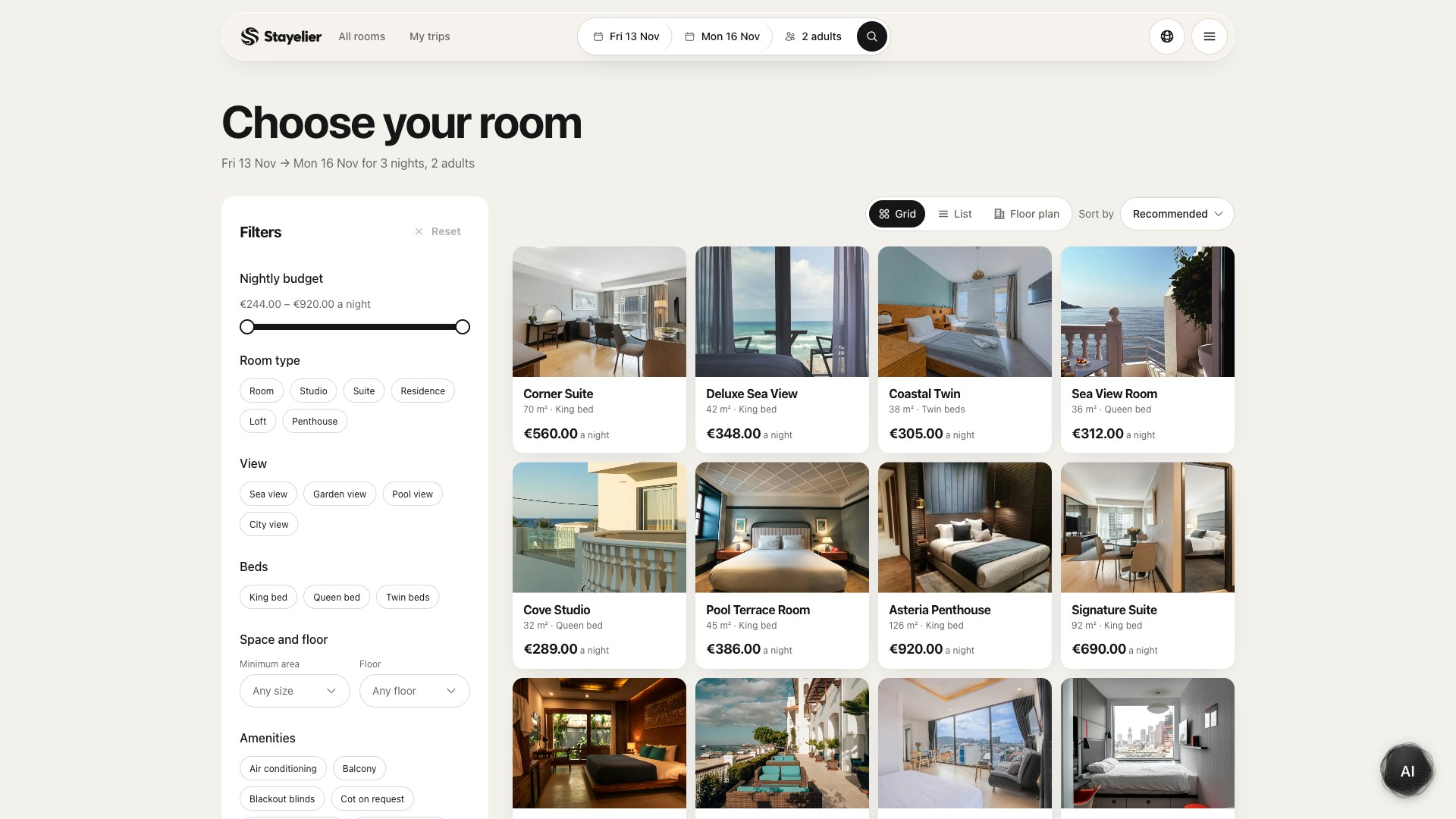
Stayelier lets guests search by dates and party size, compare rooms and open a detailed room page. Use the room names, photographs and amenities to explain the differences the guest is choosing between. The AI room finder can suggest options from the catalog when a guest describes their preferences; it does not replace the final availability and price checks.
Explain the rate as carefully as the room
A room can have more than one rate with different inclusions and conditions. Guests need to understand those differences before choosing. Put the important terms next to the rate, with a readable route to the complete policy.
- State whether breakfast or another service is included, optional or unavailable.
- Explain payment timing and whether a deposit or prepayment applies.
- Show cancellation and change conditions in language consistent with the actual booking terms.
- Make restrictions visible when they affect the selected dates or guest count.
Have the responsible hotel team approve policy wording. This checklist is a content review framework; it does not determine which terms apply to your property.
In Stayelier, the guest selects a room and rate before continuing through extras and guest details. Room content, prices and inventory come from the PMS. During your review, ask a colleague to explain the selected rate in their own words, then compare that explanation with the hotel’s approved terms. Confirm the payment provider and live payment setup for your property separately from the demo.
Make the price basis visible
Explain whether an amount is per night or for the full stay and which currency it uses. Identify mandatory charges and optional extras clearly. If an amount cannot be calculated until another choice is made, explain what is needed and update the summary when that choice changes.
Review booking costs and policy information
Walk through changes in dates, occupancy and extras. The selected room, rate and displayed total should remain understandable at every step. A summary that silently resets a choice makes it harder to know what will be booked.
Review the journey on a phone
- Choose a realistic stay and find a room without relying on hover states or tiny controls.
- Read the room details and rate conditions at the default text size.
- Change the dates or occupancy and confirm that the new selection is clear.
- Open the booking summary and check that costs, inclusions and important conditions are still accessible.
- Review validation and error messages using a safe test environment. Do not create a real charge or reservation just to review the interface.
Check keyboard navigation and labels as well as the visual layout. A guest should be able to identify the current step, correct a mistake and continue without losing the information already entered.
Hypothetical walkthrough: search for a two-night stay for two adults, compare two suitable rooms, select a rate and review one optional extra. Stop before submitting a booking unless you are using an agreed test setup. Change the dates once and check that the room, rate and summary still make sense together.
Explain what happens after the guest confirms
Stayelier rechecks availability and price before confirming the booking. Discuss the confirmation and guest-contact arrangements for your property as part of setup, including which provider sends messages and what happens when a guest needs help.
Try the guest-facing journey first. Then use the booking engine overview to discuss the room content, rates and optional services you would bring to your own hotel’s version.
See how Stayelier connects guest booking to hotel operations