How to make hotel booking costs and policies clear before confirmation
Follow a sample stay from room and rate selection to extras and the booking summary, with practical checks for your Stayelier booking experience.

The essentials
- Review one selected room, rate and stay rather than checking price labels in isolation.
- Keep optional extras and the basis of each charge clear as the guest makes their choices.
- Use the Stayelier guest flow to review the presentation; have your hotel approve the actual payment and cancellation terms.
Start with the questions a guest needs answered
A guest chooses a room for two nights and adds breakfast. Before confirming, they should be able to explain the stay total, what they selected and the conditions attached to the rate. Use that small scenario to review the booking journey instead of checking a price label on its own.
Ask the hotel’s responsible team to confirm the actual conditions. Write from those approved terms, not from a generic template. Local requirements and the property’s agreements may affect what must be disclosed; resolve those questions with the appropriate adviser before publication.
Give the price a clear structure
| Item | Question to answer |
|---|---|
| Room amount | Is this per night or for the selected stay? |
| Currency | Which currency is used for the price and payment? |
| Mandatory charges | What is included, and what is payable separately? |
| Optional extras | What did the guest actively choose, and on what charging basis? |
| Payment schedule | What is due now and what is due later? |
Use consistent labels across the rate card and booking summary. If a selected extra is charged per guest, per night or per stay, say so beside its price. Update the summary when the guest changes the selection, rather than relying on a note elsewhere to explain the difference.
Stayelier lets guests compare room and rate choices, choose extras and continue to the reservation summary. The room content, prices and inventory come from the PMS. Revisit the summary after changing a selection so you can explain what the guest is about to confirm.
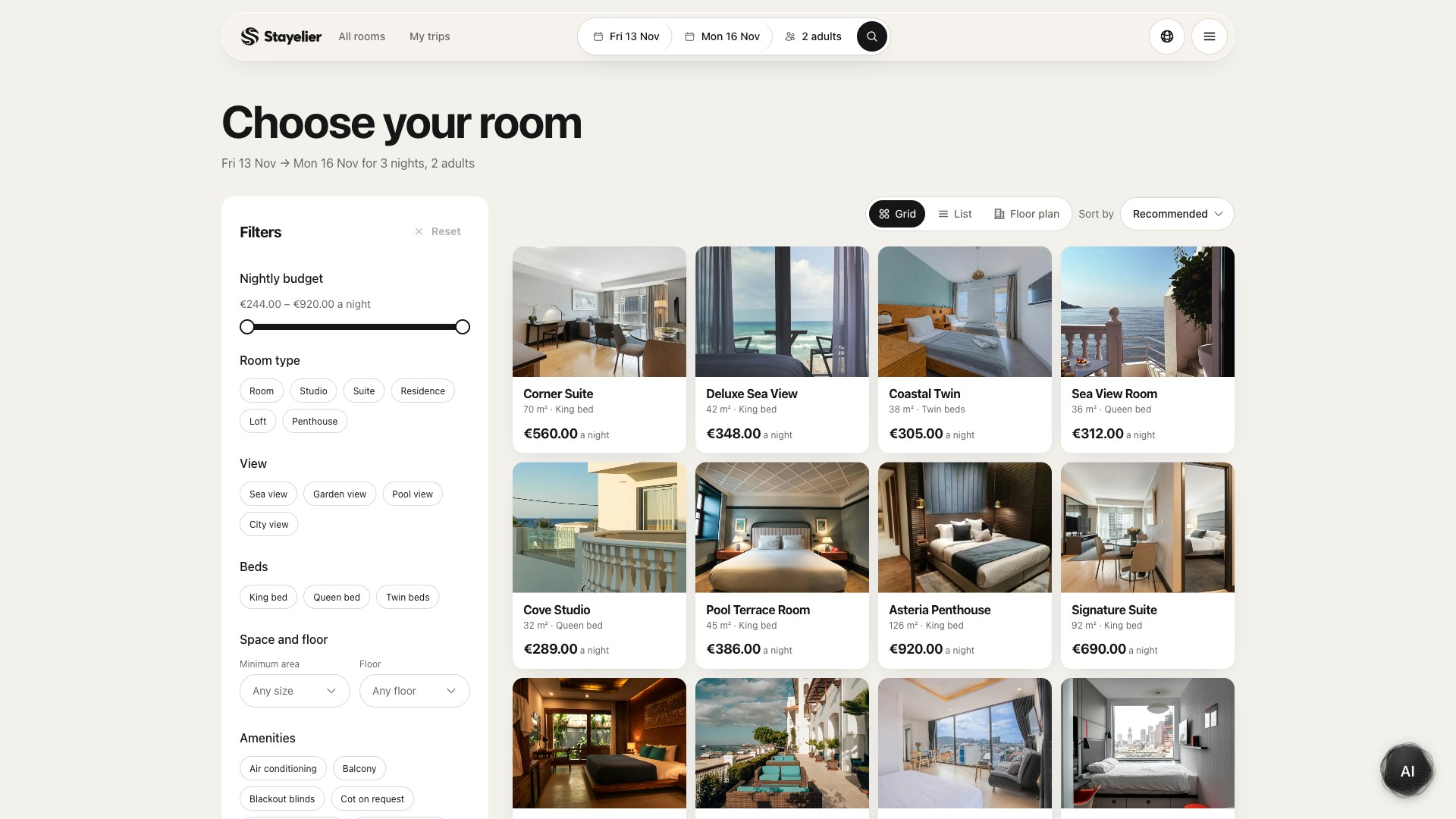
Explore the rates and policy presentation in the booking engine
Write a short summary with access to full terms
A short policy summary should help the guest notice the important conditions without replacing the approved terms. Avoid friendly wording that changes their meaning. “Cancel anytime” is not an adequate summary when a deadline or charge applies.
- Explain the cancellation deadline with the relevant date, time and time zone when the terms require them.
- Explain the consequence of cancellation or a no-show using the approved policy.
- Distinguish the ability to request a change from a guaranteed right to change.
- Make the complete terms accessible before the guest confirms.
Do not invent a universal cancellation window. The correct wording depends on the rate the guest actually selected.
Review every place the commitment appears
- Compare the room page, rate selector and booking summary for the same stay.
- Check that changing the rate also changes the displayed policy and payment schedule.
- Compare the confirmation content with the final booking summary.
- Check how a guest can ask about an apparent mismatch and who on the hotel team resolves it.
Keep a named owner for policy content. When a rate rule changes, that person should know which customer-facing surfaces need an update. A single well-maintained source reduces the chance of a summary outliving the terms it describes.
Stayelier’s rate calendar is the staff-side view for nightly prices, inventory and stay restrictions. Use it to review the selected dates and rate plan when the guest-side result needs explaining. The hotel still owns its policy wording; a nightly-price override does not, by itself, define a cancellation or payment rule.
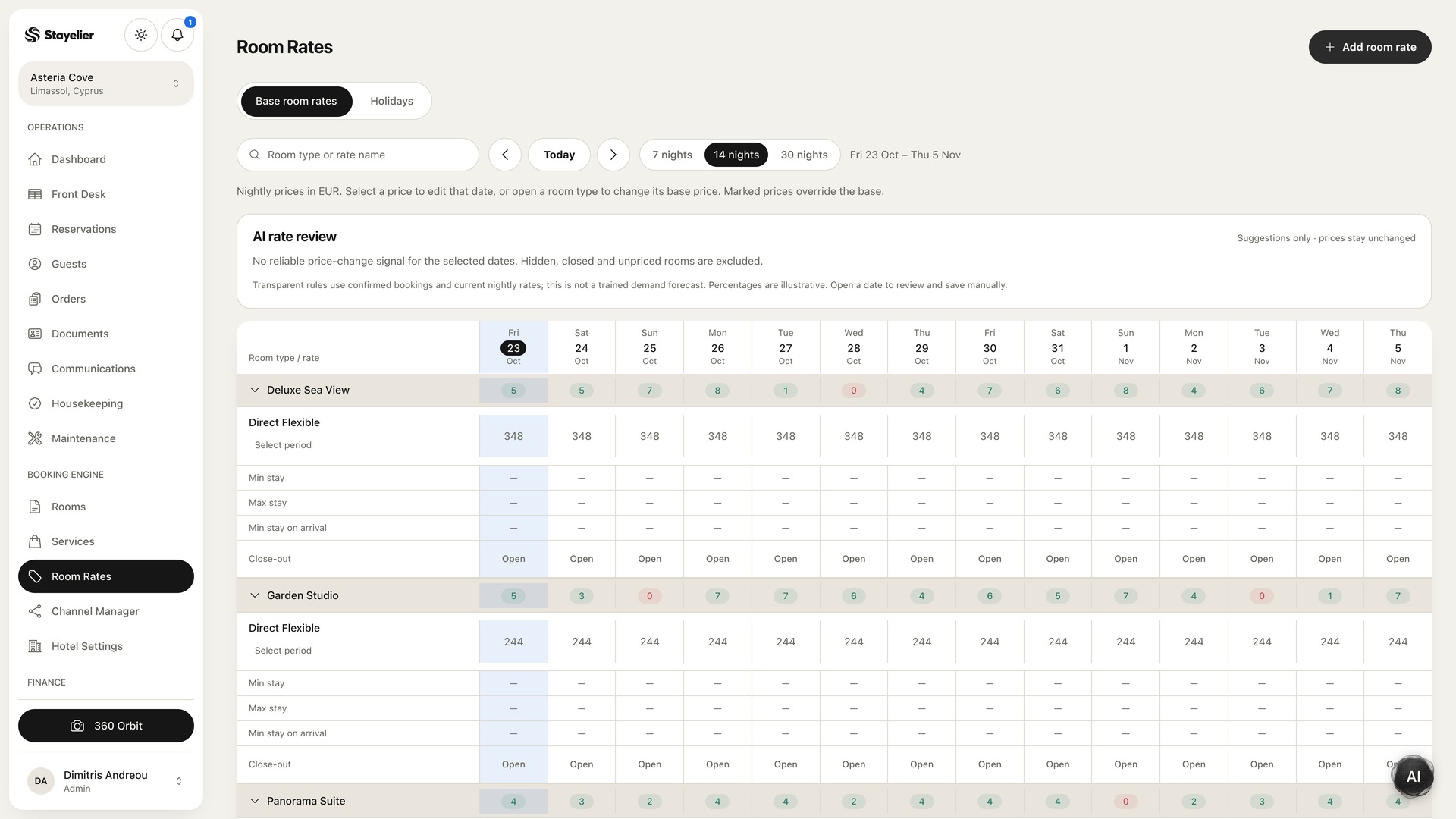
Use a concrete scenario during review
Hypothetical walkthrough: choose a two-night stay, one room and one optional service in the guest demo. Ask a colleague to explain the room amount, charging basis of the extra, total and selected terms without help. Repeat after changing dates or rate. Stop before confirmation unless you are using an agreed test setup.
This is a clarity exercise, not a legal review or a promise of higher booking conversion. Its value is identifying the points where your own booking experience leaves a reasonable guest uncertain.
Review the rest of the direct booking page
Availability and pricing are checked again before Stayelier confirms a reservation. For your property, separately confirm payment-provider setup, the payment schedule and the messages guests receive. Confirm the payment provider and live card-payment setup separately from the sample screens.