PMS vs booking engine: follow one stay from guest to front desk
Compare the jobs of a PMS and booking engine using Stayelier’s guest journey and reservation workspace, then build a practical software evaluation checklist.

The essentials
- A booking engine helps guests choose and book; a PMS gives the hotel team the operational record of the stay.
- Stayelier’s guest frontend reads room content, prices and inventory from its PMS and rechecks price and availability before confirmation.
- Evaluate the guest and staff sides together, then confirm setup requirements and the modules your property needs.
Start with the two different jobs
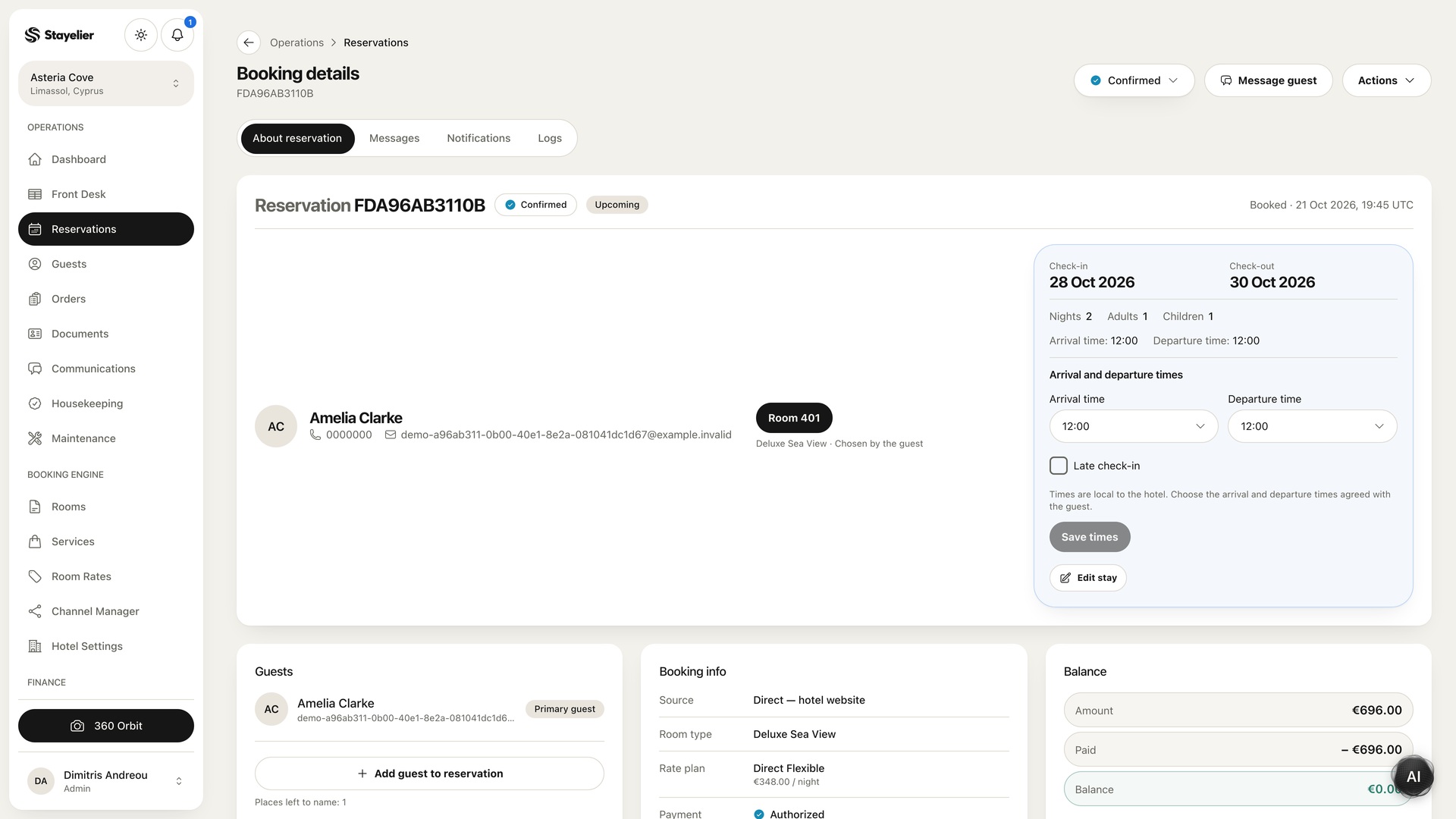
Picture one stay from two sides. The guest needs dates, a suitable room, a rate and a clear summary. Reception needs the resulting reservation, room assignment and payment balance. A booking engine and a property management system serve those different users, even when they are offered together.
Product boundaries vary. Some vendors combine these capabilities; others connect separate services. A feature name alone does not tell you how a particular implementation behaves. Use these distinctions as a starting point for questions, then confirm the actual scope in a walkthrough and contract.
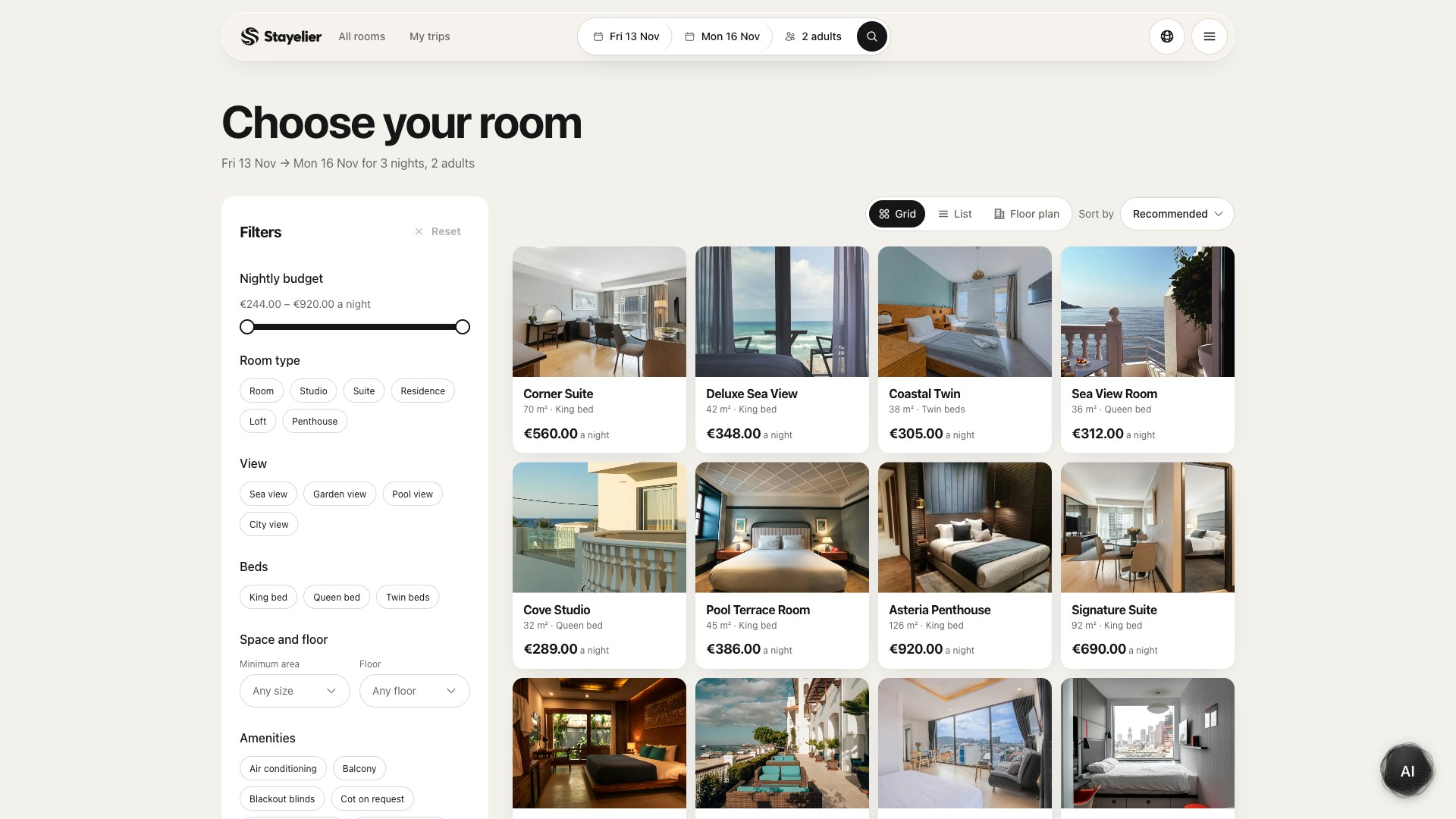
In Stayelier, the guest frontend reads hotel room content, prices and inventory from the PMS. Guests search dates, compare rooms and rates, choose extras and enter their details. The booking flow rechecks availability and price before confirmation; the team then works with the stay in the PMS.
Compare workflows instead of feature counts
| Workflow | PMS questions | Booking engine questions |
|---|---|---|
| Room availability | Where does the team manage availability? | What availability does the guest see, and when does it update? |
| Reservation changes | How does staff amend or cancel a stay? | How can a guest request or make a change? |
| Room information | Who maintains room categories and attributes? | Which details and images are shown to guests? |
| Payments | Where are payment status and follow-up recorded? | Which payment steps are available and who processes them? |
| Guest requests | Where does a request become assigned work? | How does the guest submit a request and see confirmation? |
Do not assume every row is included in a base plan. Ask which capabilities are native, which require a separate service and which need manual work.
Examine the connection between systems
When products exchange reservations, rates or availability, identify the authoritative record for each field. Ask what happens after a change, how quickly the other view is expected to update and what the team sees if an update fails. These are questions to verify for the implementation under consideration, not claims about any named product.
- Who owns the mapping between room categories and rate plans?
- How are duplicate or failed updates identified and resolved?
- Which team supports a problem that crosses two vendors?
- Can staff see enough history to understand a change?
- What is the fallback when a connected service is unavailable?
Bring one realistic reservation to the walkthrough
- Explore the guest demo with a sample date range and party size. Compare two rooms and inspect their rate choices.
- Choose a room and any relevant extras, then review the summary. Only submit a reservation in an agreed test setup.
- Explore the PMS reservation details: dates, guest, room assignment, rate plan, extras and payment balance.
- Open the front desk calendar to see how the team reviews stays against physical rooms.
- Ask for a guided walkthrough of a complete test booking and any change or cancellation workflow your property needs.
Record what you saw separately from what was described as planned. A screenshot or a sample walkthrough can explain an interface, but it does not establish that two separate systems exchanged a reservation.
Choose around your team’s responsibilities
List the jobs your team must complete and the people responsible for them. Compare the proposed setup against that list, including onboarding, data migration, permissions, support and the ability to export necessary records. Ask for written clarification when an important workflow remains ambiguous.
Start with the jobs you need rather than selecting every module. Stayelier separates room-calendar work, housekeeping, rate management, communications and other capabilities in its module catalog. Use the current plans and calculator to explore a configuration, then confirm its scope with the team. Channel connections require partner access and setup; message delivery requires a configured provider.
Explore Stayelier plans and the indicative pricing calculator