How to follow a hotel guest service request
Turn a guest’s in-stay service request into a clear handoff with the requested action, responsible team, progress update and reservation context.

The essentials
- Restate the guest’s request and confirm the important details before assigning it.
- Give each action a clear owner, progress state and guest update point.
- Use a reservation-linked order when the request is a service or food order; keep a maintenance report in the issue workflow.
Clarify what the guest is asking for
“Could we have another blanket?” is a simple request, but it still needs the correct room, a person to act and a way to confirm completion. Check the guest’s room and request details before assigning work, especially when the guest has moved rooms or the request changes.
| Field | Example |
|---|---|
| Guest and stay | Reservation or room that the request belongs to |
| Request | One clear action, quantity or preference |
| Owner | Team or colleague responsible for fulfilment |
| Progress | Received, in progress, completed or unable to fulfil |
| Update | Who will tell the guest and when to check back |
The example fields are a practical handover aid. Follow your property’s procedures for guest identity, sensitive requests and service recovery.
Assign the action and keep the guest informed
- Repeat the request back to the guest when a detail or timing is unclear.
- Choose the team that can perform the task and set an agreed follow-up point.
- Record progress where the next shift can find it.
- If the request cannot be completed as asked, tell the guest what alternative is available and record their decision.
- Close the request after checking that the action happened and the guest received an update.
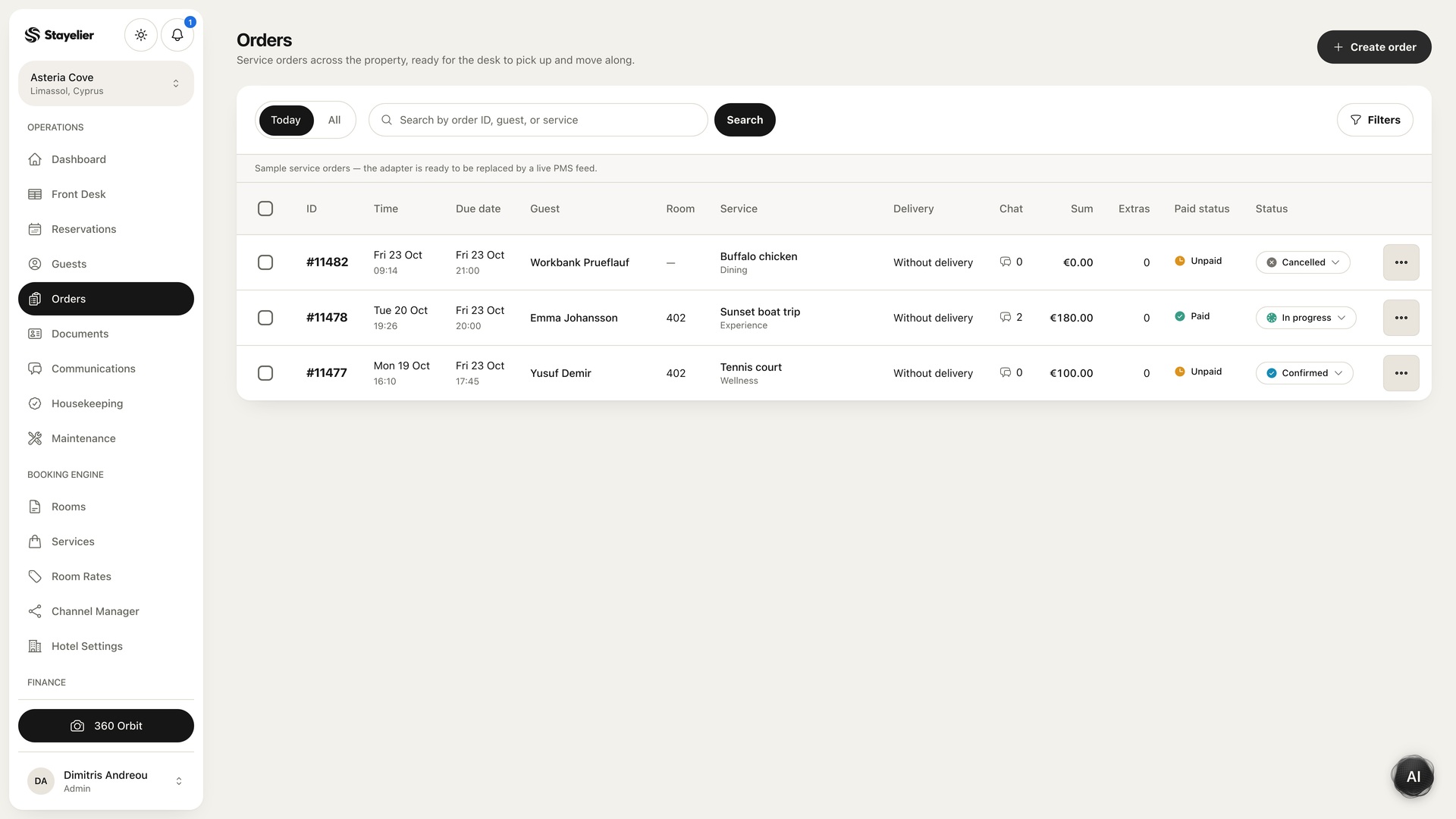
Stayelier supports service and food orders linked to a guest, room and reservation, with progress and payment information. This workflow is intended for orders; use the dedicated maintenance issue process for room faults. Guest messages require a configured provider before delivery can be relied on.
Use a clean shift handover
- Open requests with no named owner
- Requests promised before the next shift ends
- Changes to the guest’s room or original request
- Items marked complete that still need guest confirmation
- Any charge or invoice detail the front desk must review
Share only the information the incoming team needs to act. When the request changes, update the record and tell the guest rather than relying on an earlier verbal handover.