How to keep pre-arrival guest messages connected to the stay
Use Stayelier’s guest inbox and reservation details to handle arrival questions, confirm arrangements and give the next shift enough context to reply.

The essentials
- Use the reservation’s current dates and details when answering an arrival question.
- Stayelier’s inbox brings guest conversations together; linked conversations keep reservation context close to the reply.
- Confirm the person handling the reply and the delivery-provider setup before relying on a messaging channel.
Give each message a specific purpose
A guest sends an arrival-time update after changing their dates. Reception needs to identify the right stay, check what is actually agreed and give a useful answer. Start with that reply workflow before deciding how many pre-arrival messages to send.
Avoid turning every message into a list of offers. Decide the primary action first, then include only the supporting information needed to complete it. Use the property’s approved channels and respect the guest’s communication preferences and applicable requirements.
Build a small, useful sequence
| Moment | Main purpose | Check before sending |
|---|---|---|
| After booking | Confirm the stay and explain the contact route | Reservation is confirmed and details match |
| Before arrival | Share arrival information and request missing details | Dates and arrangements are still current |
| After a reply | Confirm what the hotel has agreed to do | The responsible team has accepted the request |
| When plans change | Explain the revised arrangement | The message reflects the latest reservation |
Timing depends on the property and the booking lead time. A same-day reservation should not receive a sequence intended for a guest arriving next month. Skip information that is already out of date or that the guest has already supplied.
Make the arrival message easy to act on
- Identify the hotel and the relevant stay without including unnecessary personal details.
- Share verified directions, arrival hours and the process for arrival outside those hours.
- Ask for an arrival estimate only if the team will use it, and explain how to update it.
- Link to the hotel’s trusted contact route and say how replies are handled.
- Keep optional services clearly optional, with availability and confirmation conditions.
For example, a useful request is: “If you expect to arrive outside reception hours, contact us so we can confirm the arrival arrangements.” Replace the wording with the property’s actual process. Do not imply an access arrangement has been confirmed when it has not.
Plan the reply workflow before automating
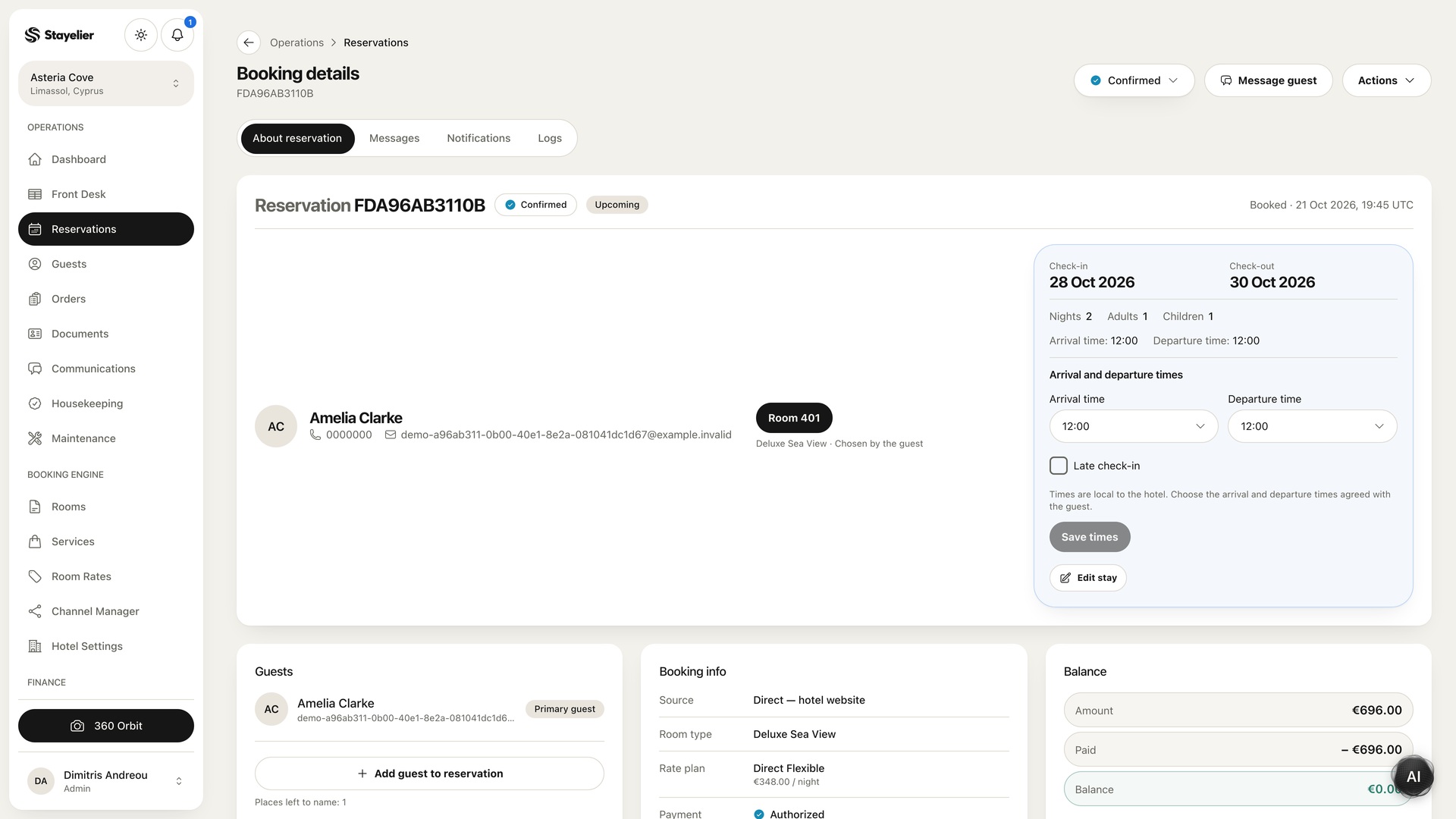
In Stayelier, staff can search guest conversations, filter by channel and track unread messages in one inbox. When a conversation is linked to a reservation, the stay context is close to the reply. Your team still needs to decide who handles the request and when to follow up.
- Find the conversation in the inbox and identify the relevant reservation, using the linked stay where available.
- Open the reservation details and check the current dates, assigned room and any relevant arrangements.
- Confirm the requested action with the responsible colleague before promising it to the guest.
- Reply with what is agreed and record any open follow-up in the hotel’s handover process.
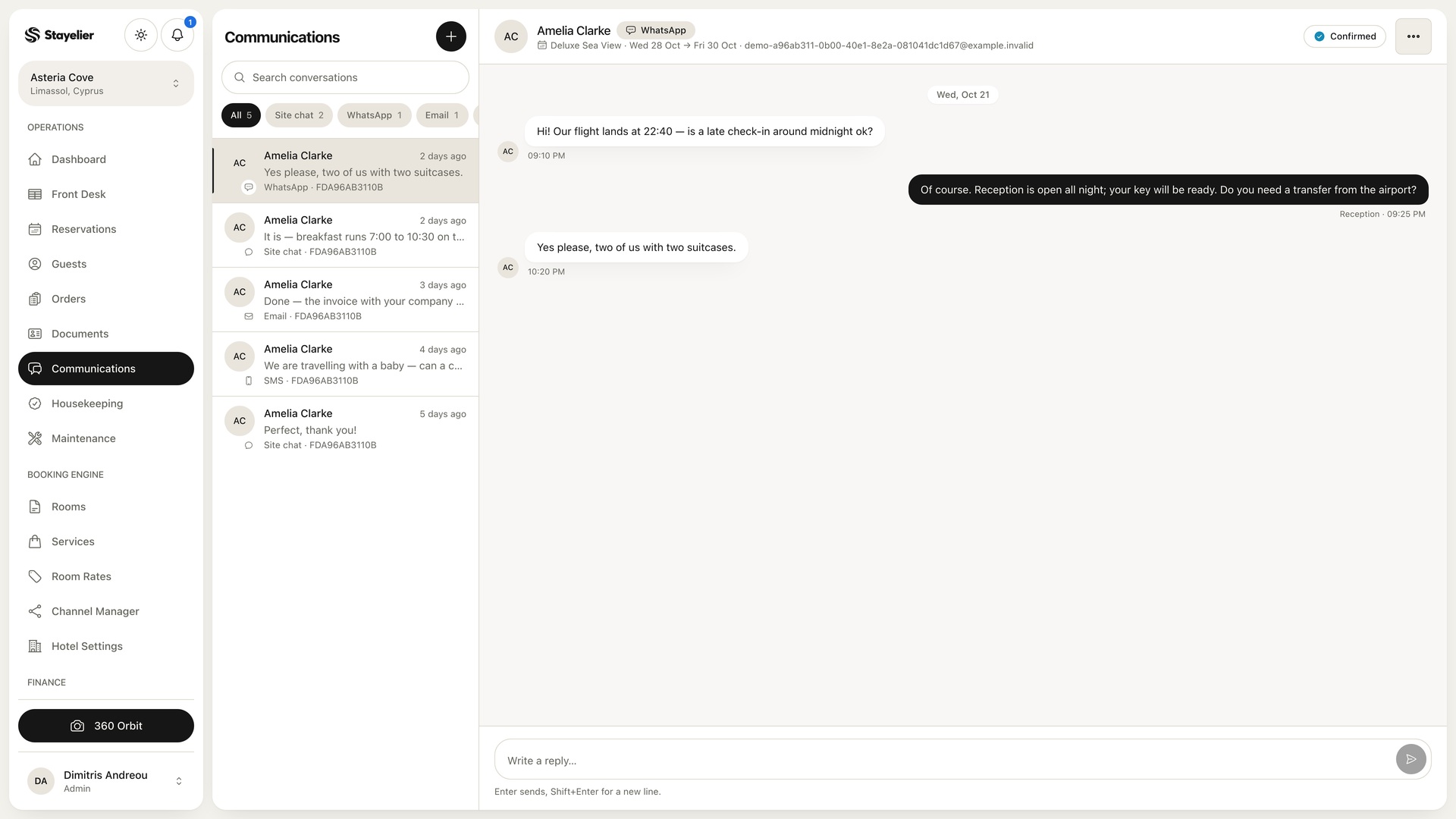
Hypothetical example: a guest asks to arrive after reception closes. Read the latest reservation before replying, confirm the hotel’s actual late-arrival procedure with the responsible colleague and answer only with the agreed arrangement. A message in the inbox is not proof that access has already been arranged.
Message delivery requires a configured provider. Confirm the available channels and delivery setup for your property. This walkthrough shows inbox work; it does not claim that timed pre-arrival campaigns or automatic follow-up rules are included.
Review missed questions and unnecessary messages
During a shift review, look at arrival questions that required another search, a repeated explanation or a colleague’s decision. Was the reservation current? Was the conversation linked to the right stay? Did the reply distinguish a request from a confirmed arrangement?